
Path: Menu Bar → Edit
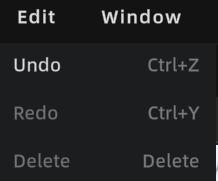
Edit Menu
Undo
Press Ctrl + Z, or click the Undo button in the toolbar to revert the most recent action.
| Operation Type | Undo Supported |
|---|---|
| 3D object transform (move / rotate / scale) | ✅ |
| Viewpoint operations (add / move / delete) | ✅ |
| Annotation operations (add / move / delete) | ✅ |
| Skybox operations (switch / activate / deactivate) | ✅ |
| Measurement operations (add / delete) | ✅ |
| Scene report editing | ❌ Paused (button grayed out) |
| During video rendering | ❌ Paused (button grayed out) |
| In Preview Mode | ❌ Paused (button grayed out) |
History limit: 100 steps. The oldest records are discarded automatically when the limit is exceeded. Undo history is cleared when the project is closed.
3D Layout independent undo stack:
- Entering the 3D Layout module switches to a separate 2D undo stack
Ctrl+Zonly undoes 2D operations while inside the floor plan- Exiting the floor plan clears the 2D undo stack and restores the 3D global undo stack
Redo
Press Ctrl + Y, or click the Redo button in the toolbar to restore an undone action.
Note: Performing a new action immediately clears the redo history.
Delete
Press Delete to remove the currently selected object or element.
